
Vendors & Subcontractors
Work for Other Companies, from Your Own Plankmate
If a facilities company or a builder uses Plankmate, they can send you work orders, bid packages and subcontracts. You answer them in your own screens, and you can run the rest of your business in Plankmate too.
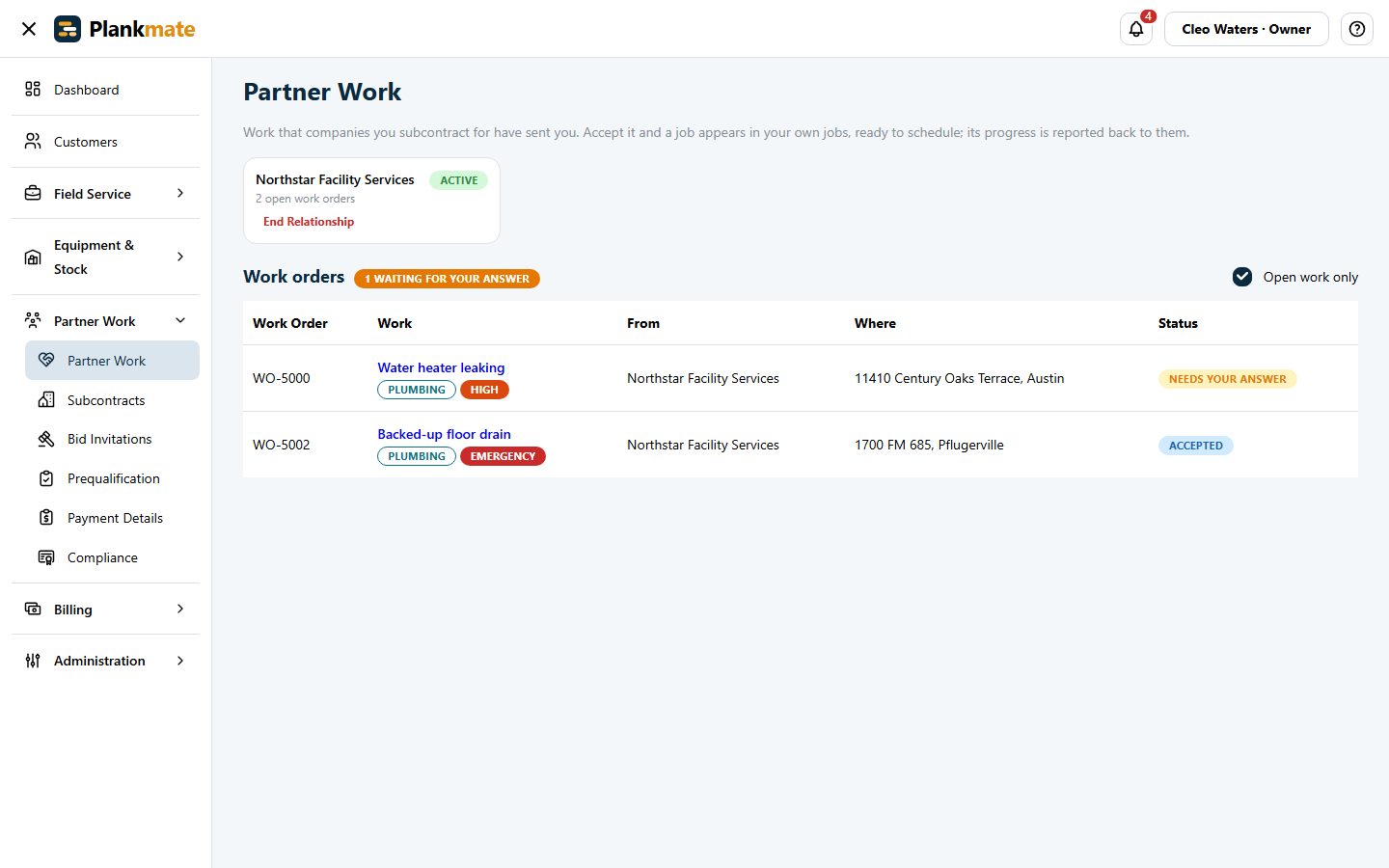
Answer a Work Order in a Click
When a company sends you work you get an email with Accept and Decline buttons that open without signing in. Accepting makes a normal job in your own company to schedule.
- See the work, the address, the trade and the priority before you answer
- Offers sent automatically have a deadline; miss it and the work goes to another vendor
- Never the end client’s name, their budget or other vendors
- A Needs Your Attention card: quotes to send, quotes sent back, invoices rejected or still unpaid
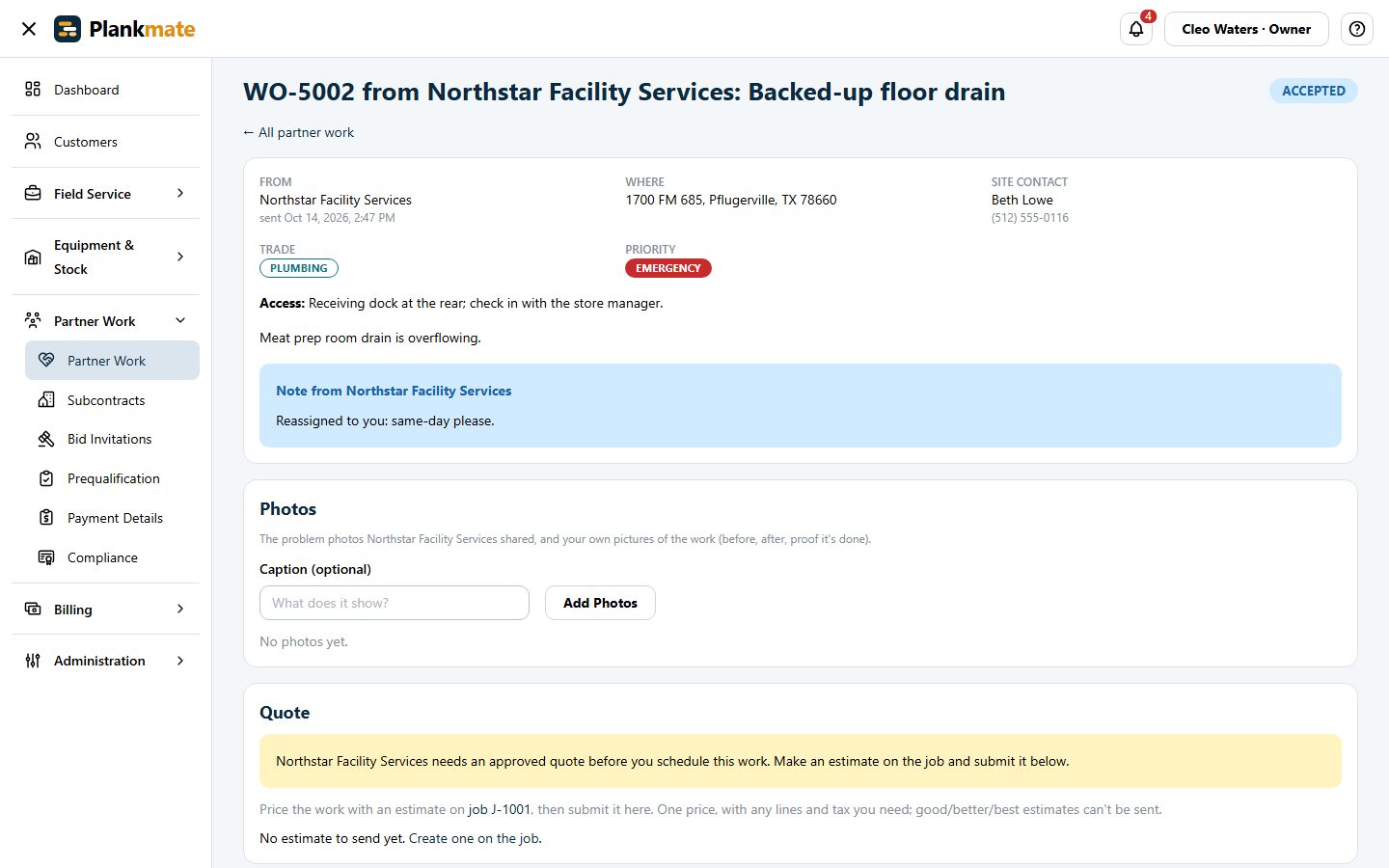
Tell Them Where You Work, Once
Set your service area in Settings: nationwide, whole states, or a distance from a postal code. Every company that sends you work uses it to decide whether to offer you a job. A company can record different areas for you if it needs to.
- Quotes for the work, approved before you schedule
- Your invoices tracked from submitted to approved to paid
Know When a Builder Needs You
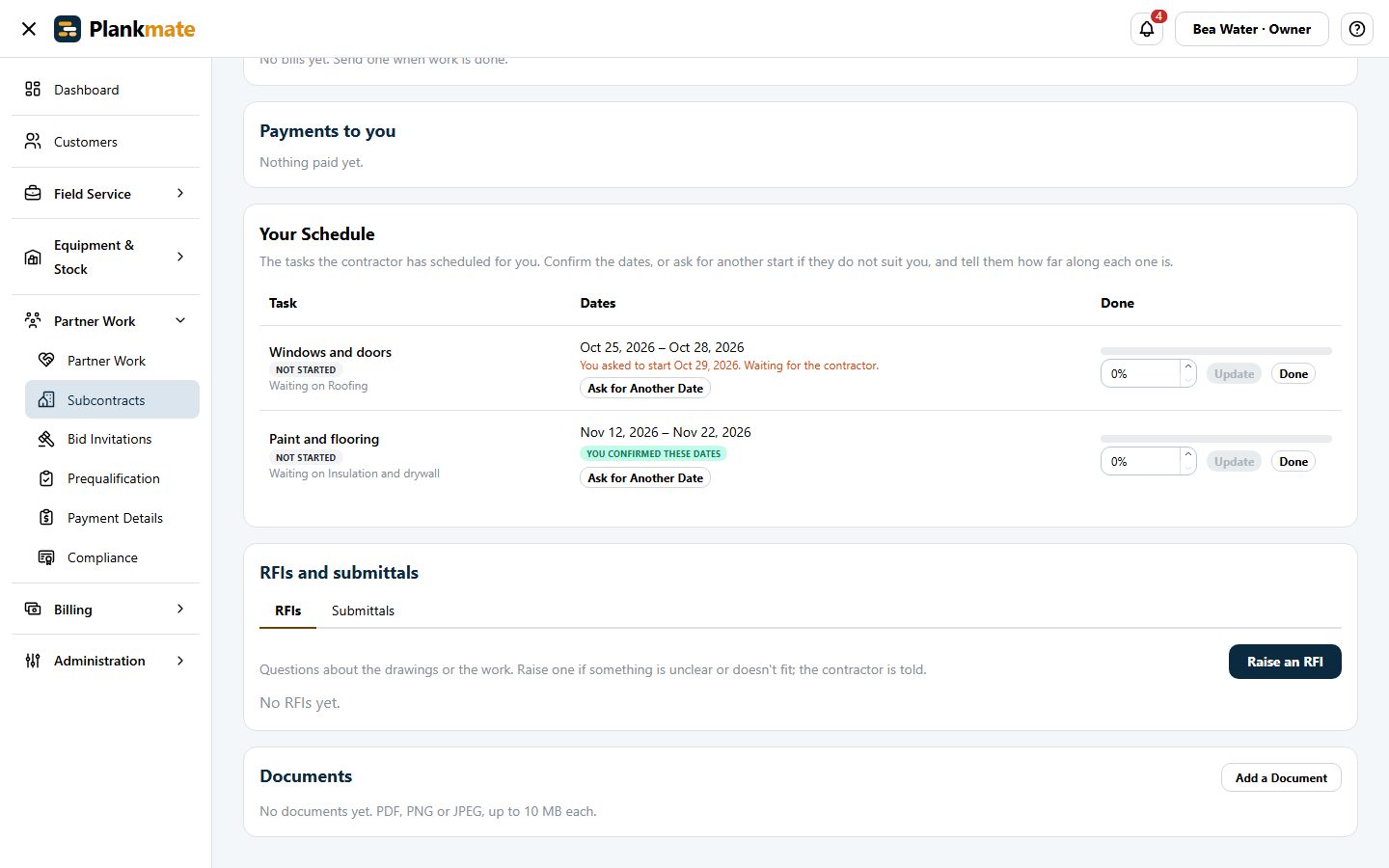
When a builder gives you tasks on their schedule you see their dates, whether each can start yet, and what it is waiting for. You confirm the dates, or ask for another start with a reason, and the builder accepts or declines.
- Emailed when the dates are set or change, once for all the tasks that moved
- Tell them how far along each task is; they are told when one is finished
- Never their budget, their prices or the client
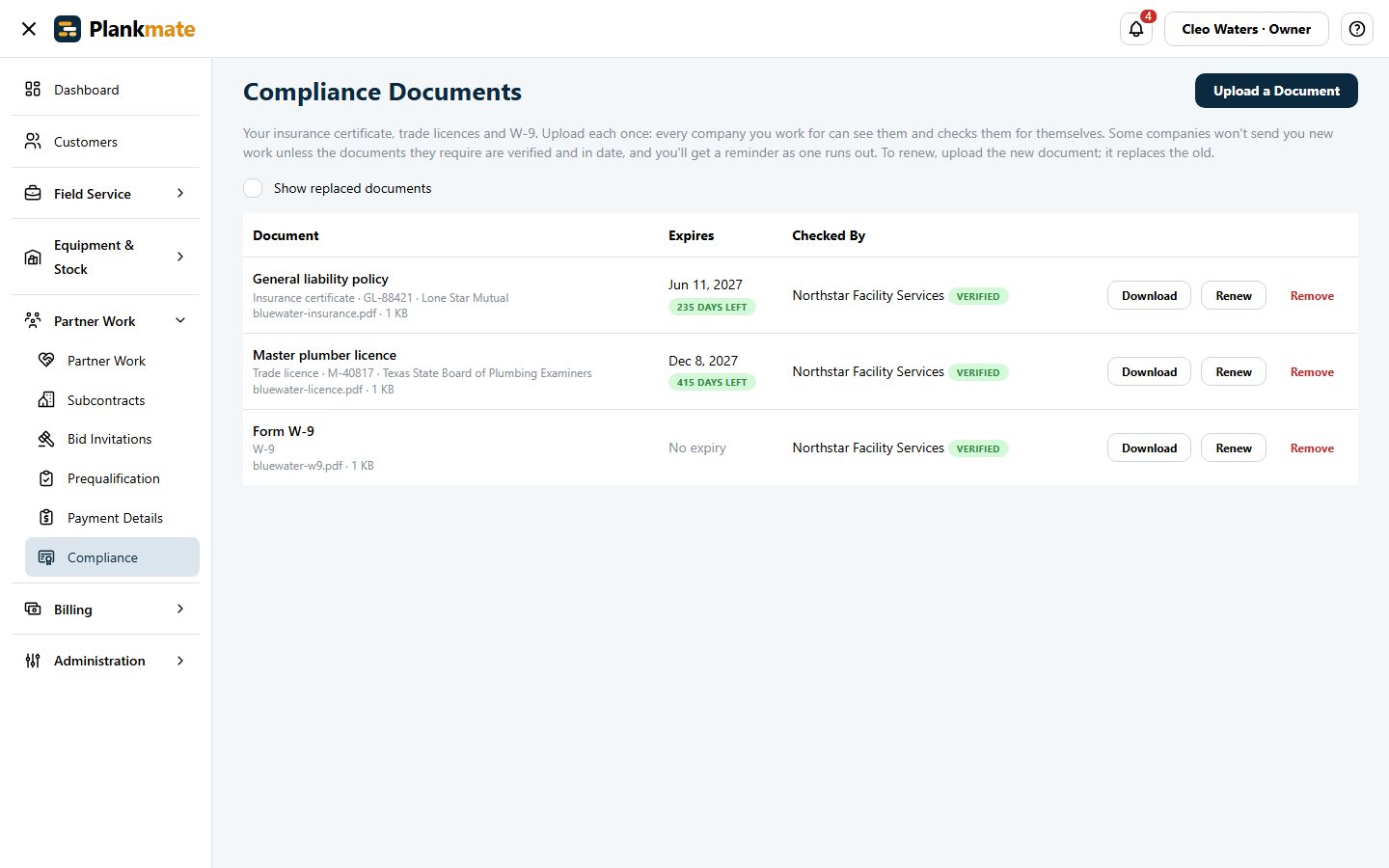
Insurance and Licences in One Place
Upload your certificate of insurance, trade licences and W-9 once. Every company you work for can see them and checks them for itself, and you are reminded as each one runs out.
- A company can ask you for what it needs with one click
- Bid invitations and subcontracts from builders arrive in the same place
Get the Work, Keep the Paperwork Straight
If a company you work for uses Plankmate, ask them for an invitation, or create your own company and see it for yourself.