
For Companies That Send People to Do Work
Schedule. Dispatch. Build.
Plankmate is one system for service technicians, facilities contractors and builders: the dispatch board, the tickets, the projects, the vendors and the money, with a screen for each person who needs one.
Built for How You Work
Choose your kind of business. Each page shows the screens, with real examples.
Home Services
HVAC, plumbing, electrical and the trades. Dispatch technicians, quote good/better/best, invoice and get paid.
See home servicesFacilities Maintenance
Corporate clients with many sites. Tickets, service levels, your own vendors, quotes and approvals.
See facilitiesBuilders & Remodelers
Estimates, budgets by cost code, subcontracts, change orders, draws and daily logs, with a client portal.
See constructionVendors & Subcontractors
Work for other companies? Answer work orders, bid, and keep your insurance and licences current in one place.
See the vendor sideEveryone Gets the Right Screen
The people who use Plankmate do different jobs. Each sees only what is theirs.
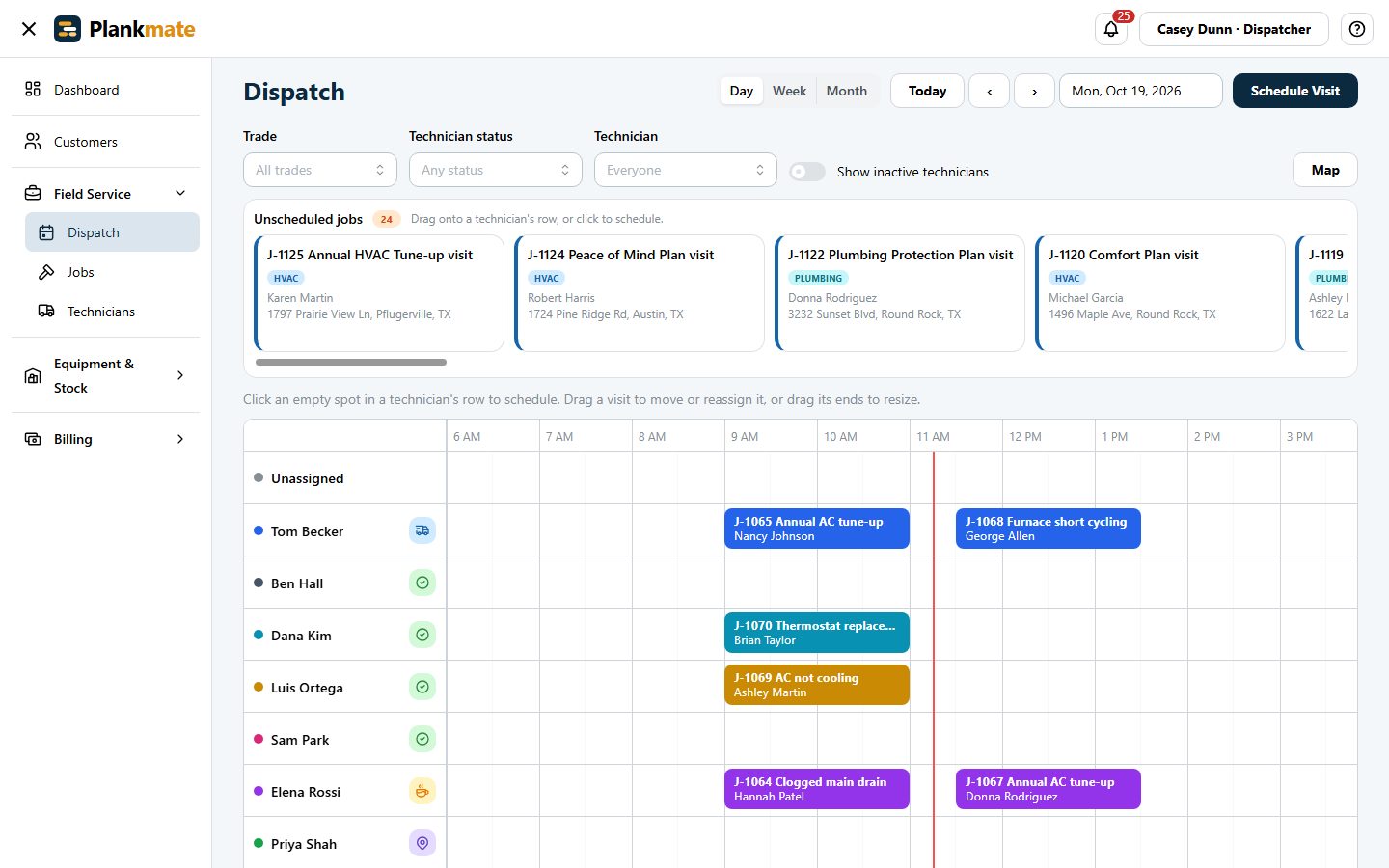
The Office Runs the Day from One Board
Dispatchers see every technician, every job waiting for a slot, and every status at a glance. Owners see the money and the settings.
- Drag a job onto a technician to schedule it; drag to move or resize
- See the schedule by day, week or month, for everyone or for one technician
- Technician status at a glance: available, en route, at the customer, getting parts
- Estimates, invoices, payments and overdue alerts in the same place
- A bell and a Needs Your Attention card for whatever is waiting for you
- Every main list is yours to arrange: choose the columns, drag them into order, resize them and click a heading to sort
- Optional reports for each role: revenue, unpaid invoices by age, win rate, open work and technician productivity, each downloadable as a spreadsheet
- Owners add people, switch components on and off, and connect QuickBooks
Technicians Get Their Own Day, and Prices Only If You Allow It
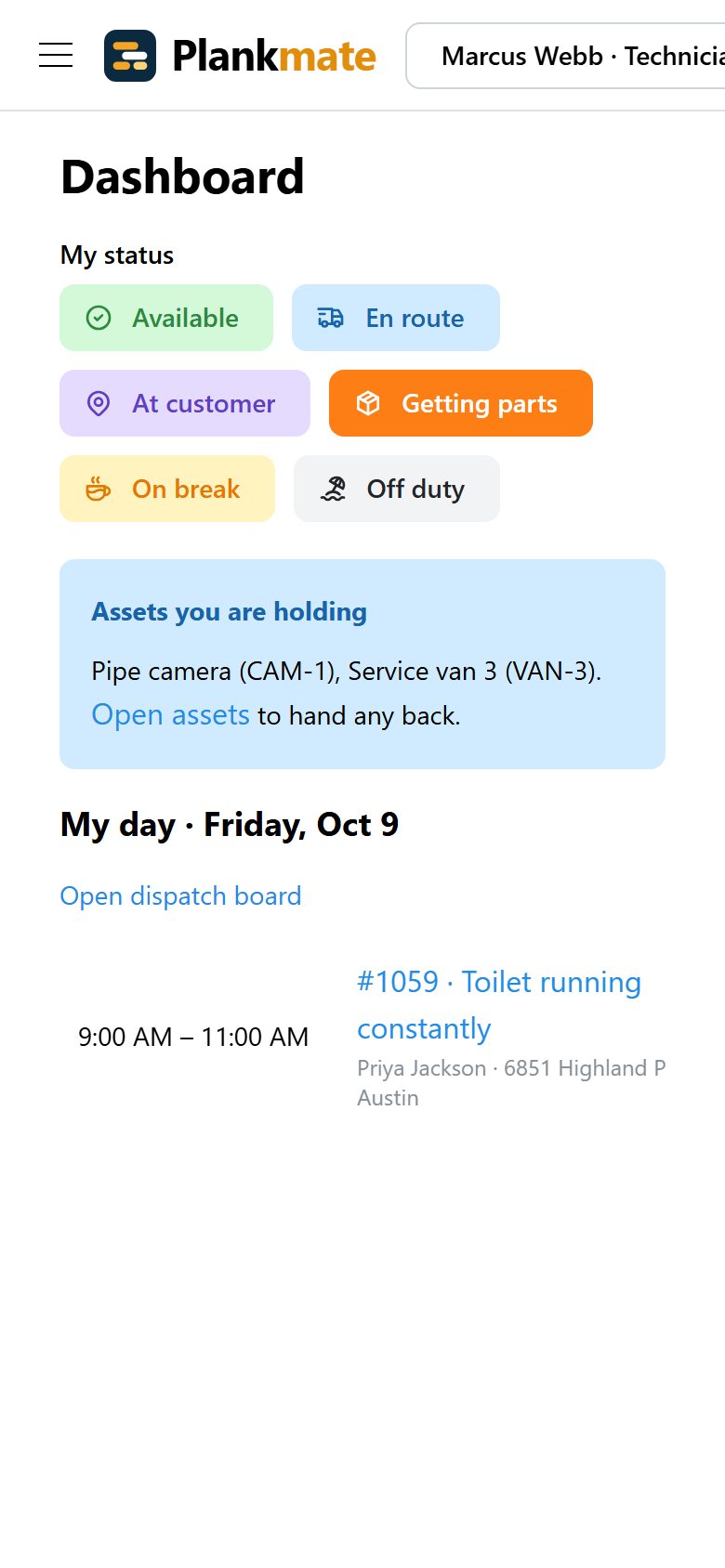
A technician signs in on their phone and sees what is theirs: today’s visits, directions, the job and how to get in.
- Their status with one tap, so the office knows who is free
- Start, finish and note a visit; the customer is told they are on the way
- On construction work: punch lists, schedules, daily logs and plans, with no money anywhere
- Optional: their own report of visits completed and hours on site, week by week
- Prices, invoices and other people’s work are not shown, unless you switch on quoting in the field
- In the Plankmate Field phone app: see the technician app
Customers See Their Own Work, Without Calling the Office
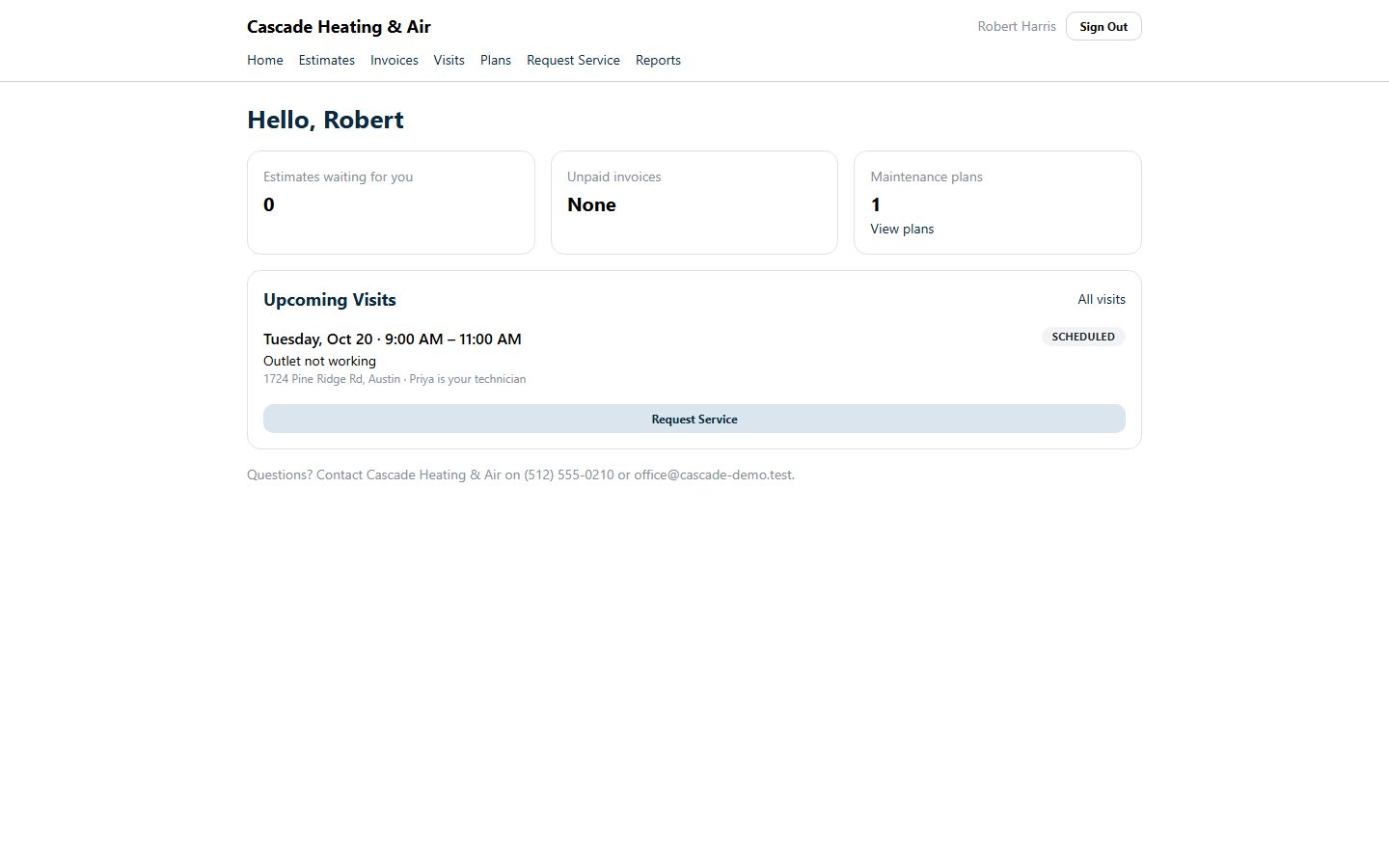
Homeowners and small businesses get a page of their own. They sign in with their email, no password to forget.
- Upcoming visits, with who is coming
- Estimates to look over and approve online
- A parent company’s people see the work and invoices of all its subdivisions, each marked with the subdivision it is for
- Invoices to see and unpaid ones to find, with paying by card coming soon
- A button to ask for service
- Optional: their own history of jobs, what was billed and what was paid, year by year
Corporate Clients Submit and Follow Tickets Across All Their Sites
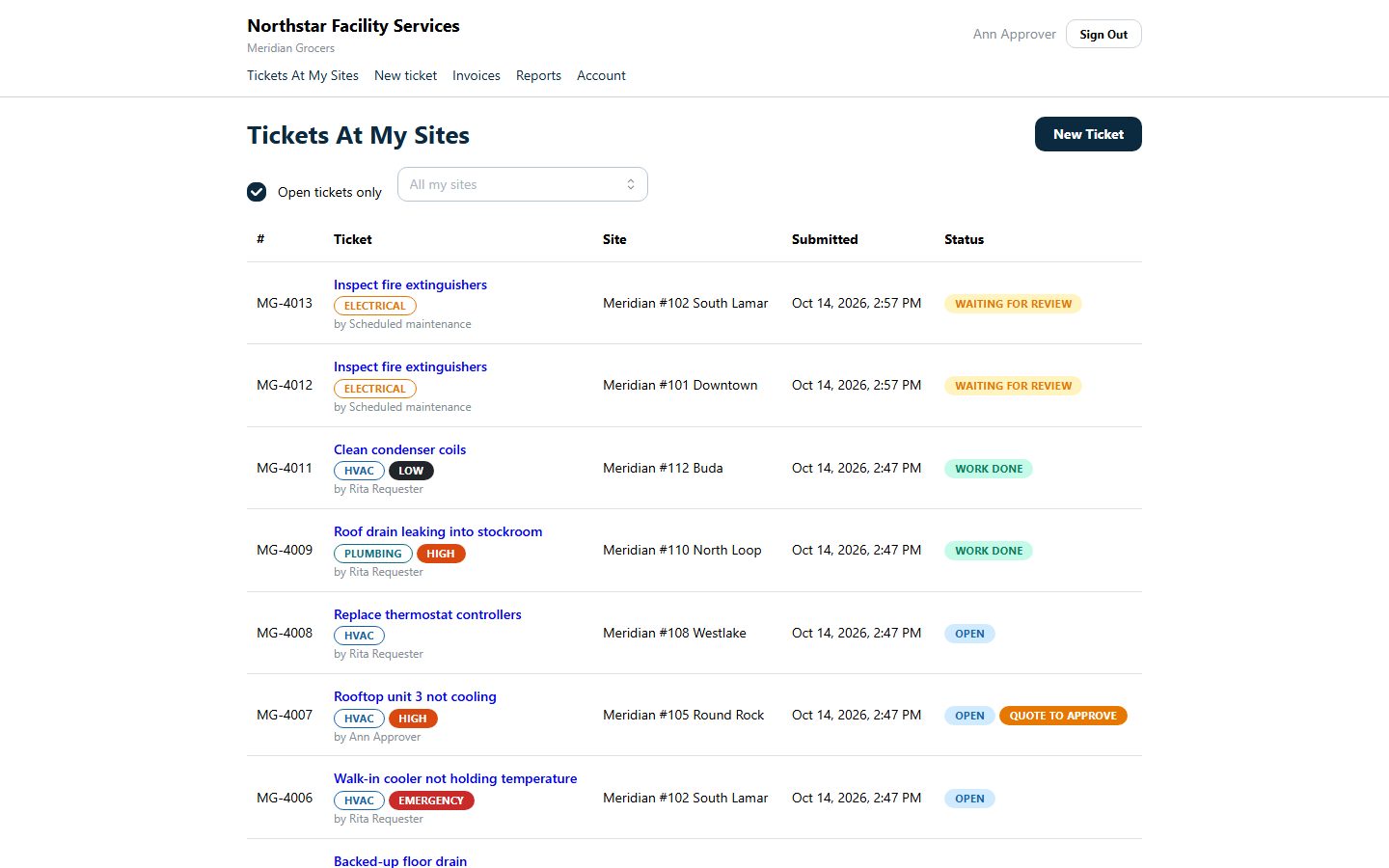
Facilities and construction clients get their own portal, set up per person: who may submit, who may see everything, who approves spending.
- Submit a ticket for any of their sites
- See every ticket at their sites and where it stands
- Approve quotes within their limit; sign change orders and proposals electronically
- Follow a project: progress, photos, and what they owe
- Choose fixtures and finishes from the priced options you set, and hear when a milestone is reached
- Optional: reports on their tickets by month and by site, and spend for site managers and approvers
Subcontractors Work in Their Own Plankmate, and See Only What You Send Them
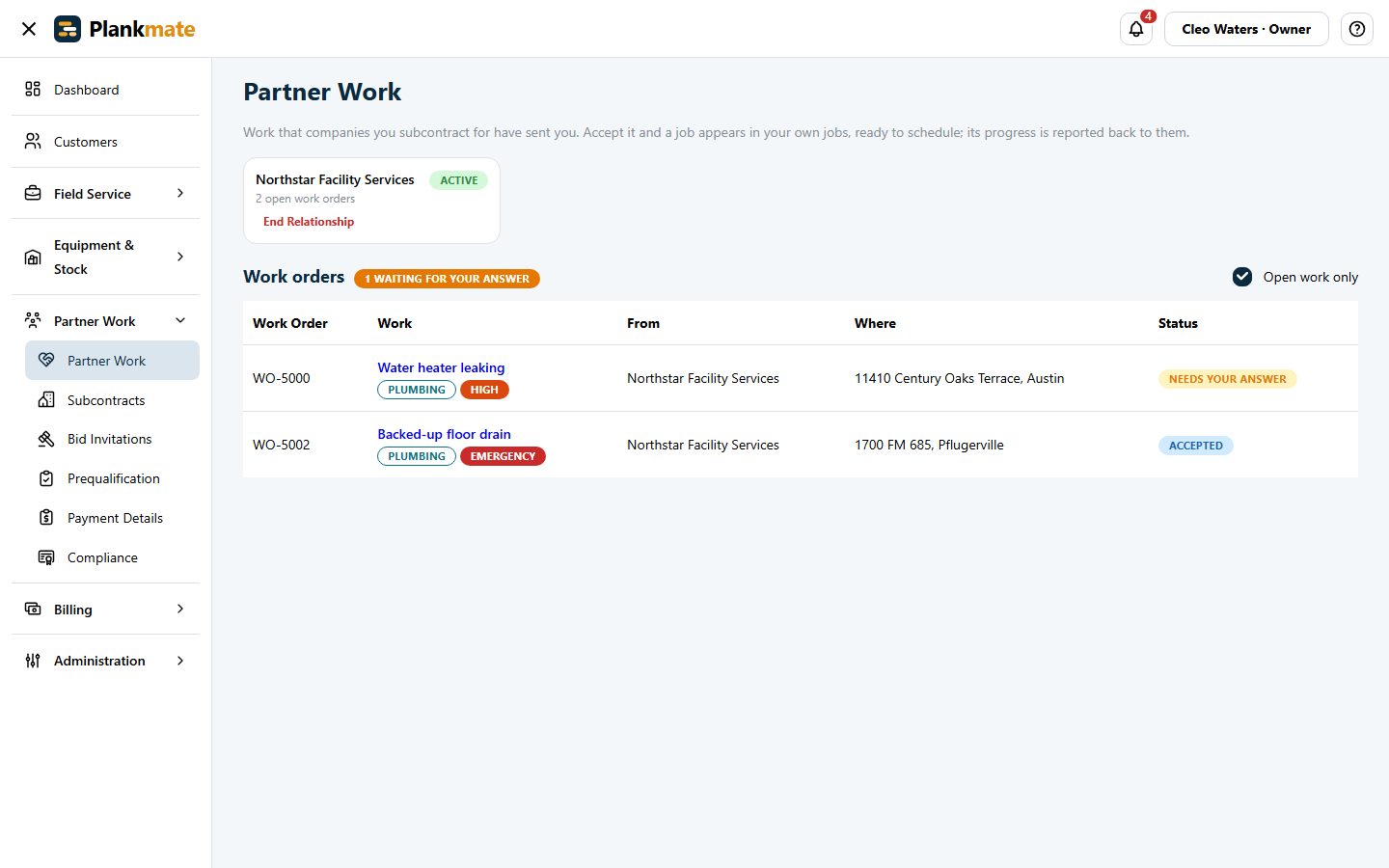
A vendor is a company in Plankmate too. They answer your work orders, price jobs, and keep their paperwork in one place.
- Accept or decline a work order, even from the email
- Their own jobs, schedule and invoices
- On a builder’s job: see when each task can start, and confirm the dates or ask for another start
- Upload insurance, licences and W-9 once for every company they work for
- Never your clients’ names, your prices or other vendors
A Phone App for the Technician
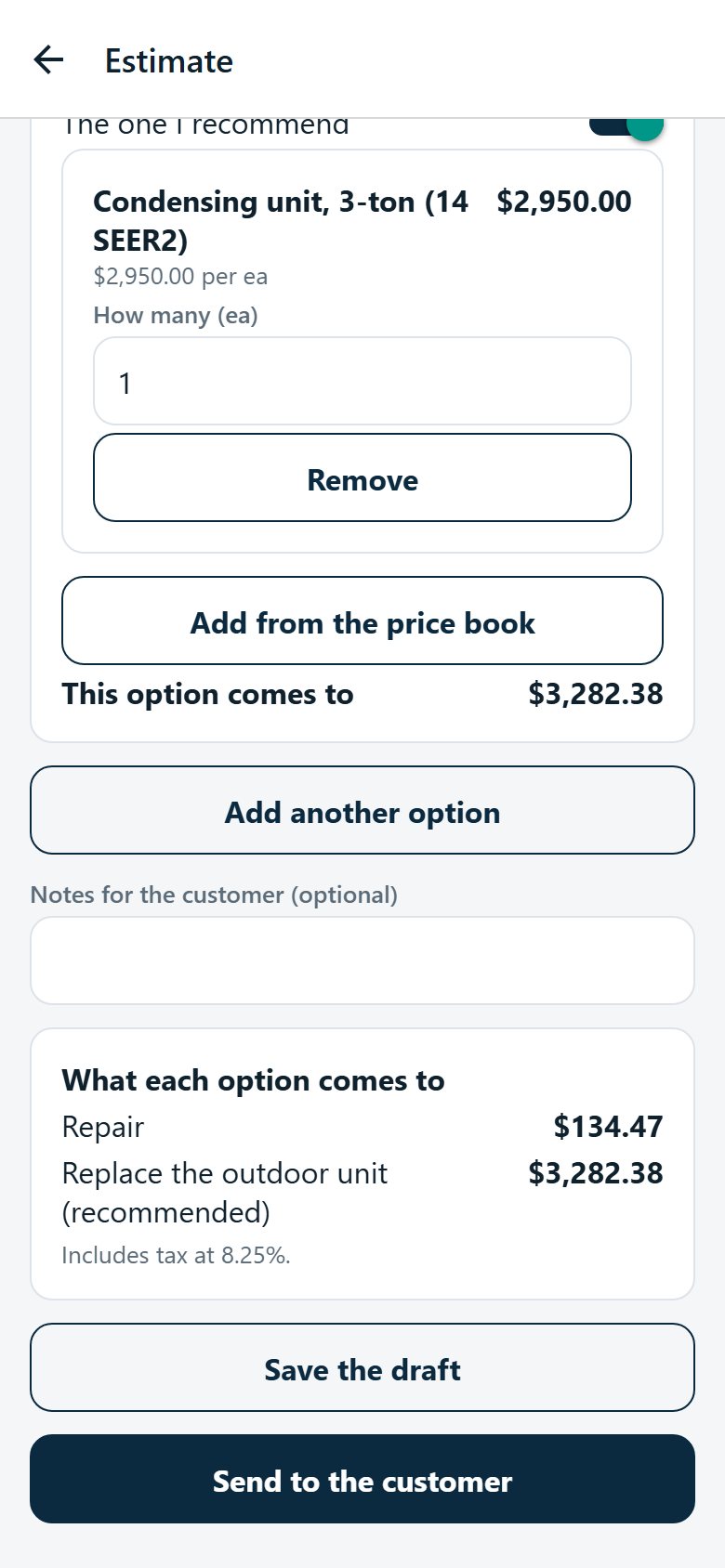
Plankmate Field puts the whole visit in the technician’s hand: the day’s visits, checklists, equipment and parts, notes and photos, and, if you switch it on, quoting good/better/best, the customer’s signature, the invoice and the payment.
- Works on iPhone and Android, with the same sign-in as the website
- Prices stay private until you allow quoting in the field
- See the technician app
Only the Parts You Use
Plankmate starts with the everyday field-service tools. Switch on what your business needs, and your menus stay short. Switching something off never deletes anything.
- Customers & Dispatch
- Estimates & Invoices
- Technician Accounts
- Inventory, Barcodes & Price Book
- Customer Equipment
- Company Assets
- Maintenance Plans
- Customer Portal
- Card Payments (Coming Soon)
- Facilities Management
- Construction Projects
- Live Technician Locations
- Job Checklists
- Job Notes
- Field Quotes and Payments
- Mobile App Notifications
- Text Messages
- Email to Ticket
- Reports
- Timecards
- Project Meetings
- Inspections & Observations
- Purchase Orders
- Drawings
- Time & Material
- Change Events & Forecast
- Incidents & Safety
- Transmittals & Correspondence
- Vendor Prequalification
- Crew Planning
- Specifications
- Pay Runs
Filled: included with every company. Outlined: switch on only what you use.
Connects to the Tools You Already Use
QuickBooks Online
Invoices, payments, customers and vendor bills flow across.
ServiceChannel & Corrigo
Work orders from these platforms arrive as tickets. ServiceChannel is updated as you start and finish the work.
Email & Text Messages
Customers are emailed confirmations, reminders and "on the way". Residential customers who agree can be texted from your own Twilio number.
Vehicle Tracking
See vehicles on the dispatch map from a connected tracking system, or let technicians share their phone's location.
Maps
Every job and site is on a map, with turn-by-turn directions in the technician's own maps app.
Email to Ticket
Work orders emailed to your address arrive ready to turn into tickets.
See It with Your Own Kind of Work
We will show you the screens that match your business, in a demo company with real-looking data.